GoFundMe Pro + Double the Donation
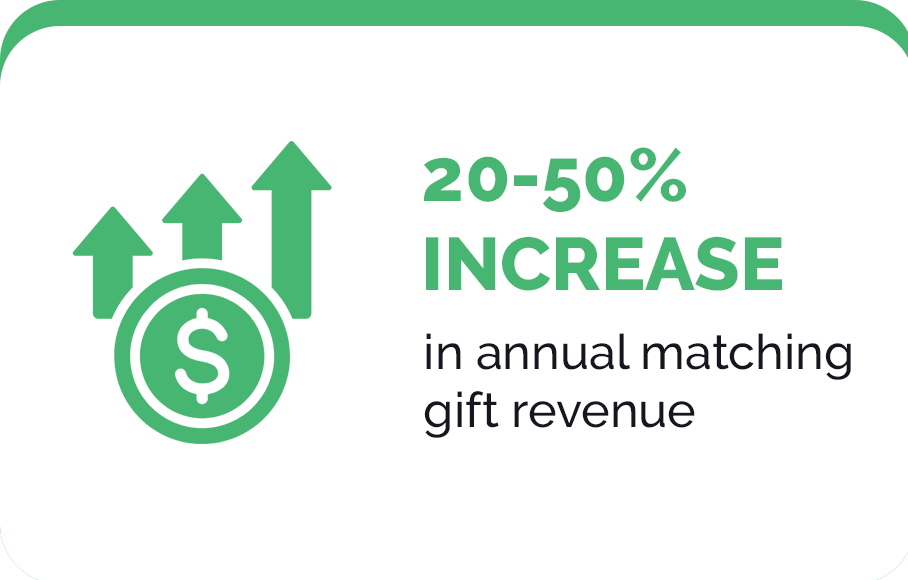
The Double the Donation and GoFundMe Pro integration maximizes nonprofit matching gift potential by adding a company search tool directly within your Studio and Embedded donation forms. This allows you to easily capture employer data and identify eligible donors as they give. Post-donation, you can leverage Double the Donation's system to automatically send your donors company-specific next steps and reminders directly from your organization. Nonprofits typically see a 20–50% increase in matching gift revenue using this integration
Ready to see how this integration grows fundraising? Book your demo.
Trusted by 100+ nonprofit organizations
Typical Results for Organizations
Using GoFundMe Pro & Double the Donation


How does the Double the Donation & GoFundMe Pro
integration increase matching gift revenue?
Proactively identify opportunities
Add Double the Donation's employer search field to your donation forms to identify more match-eligible donors as they give.
Drive more matches to completion.
Guide your donors to their company-specific next steps to empower matching gift submission immediately post-transaction.
Reduce staff costs.
Reduce staff hours spent on matching gift marketing and outreach through Double the Donation’s automation.
GoFundMe Pro + Double the Donation
Integration Reviews & Case Studies
Discover how organizations are using this integration to save time and unlock more corporate matching gift revenue.
Explore Integration Case Studies
Frequently Asked Questions (FAQs)
Q: Is there an extra cost required to integrate my existing Double the Donation account with GoFundMe Pro?
A: No, there are no extra API access fees or per-transaction surcharges to integrate Double the Donation with GoFundMe Pro, provided your organization maintains active subscriptions with both platforms.
The integration includes no additional setup cost. Once connected, onboarding support varies by plan level:
-
Standard & Enterprise Plans: Work directly with a dedicated Implementation Specialist to add users, integrate multiple fundraising tools, and configure advanced settings.
-
Essentials Plan: Receive guided email instructions (and a potential onboarding call) to work with a specialist on adding two users, integrating one fundraising tool, and answering configuration questions.
To get started or upgrade your plan, fill out the form below to schedule a demo.
Q: If I use Double the Donation and GoFundMe Pro, how do I turn on the integration?
A: Enabling the Double the Donation and GoFundMe Pro integration is a straightforward process you can manage directly within your GoFundMe Pro dashboard:
- Access Integrations: Navigate to the apps and integrations section within GoFundMe Pro and select Double the Donation.
- Connect API Keys: Securely link your accounts by inputting your unique Double the Donation API keys.
- Enable on Campaigns: Activate the donation matching feature on whichever individual campaigns you choose.
- Configure Display Settings: Adjust when and how the matching tool appears to donors during checkout, then save your changes.
For comprehensive, click-by-click instructions, please refer to our full GoFundMe Pro Integration Guide.
To ensure a seamless deployment, your organization won't have to navigate this alone. You will be paired with a dedicated Implementation Specialist who will guide your team through the end-to-end setup, test your data flows, and verify that all connected systems are operating seamlessly.

Q: Can I connect multiple fundraising systems to Double the Donation?
A: Yes! Double the Donation serves as your organization's centralized workplace giving hub, allowing you to simultaneously connect multiple tools across your fundraising technology stack to a single account.
This multi-system capability captures workplace giving opportunities at every touchpoint:
- Online Donation Forms & Peer-to-Peer Platforms: Identify match-eligible donors during and/or immediately following the checkout process, then drive those matches to completion with automated, personalized outreach.
- CRM & Database Systems: Automatically sync donor employment records from your CRM to Double the Donation. This alerts donors to their matching gift opportunities through targeted, automated email sequences, ensuring no match falls through the cracks.
- Volunteer Management Systems (VMS): Enable volunteers to easily check their volunteer grant and Volunteer Time Off (VTO) eligibility during registration, empowering them with instant, employer-specific instructions on how to submit their hours or request VTO.
- Event & Auction Platforms: Capture employer data during event registration and checkout to raise awareness of attendees' workplace giving eligibility, then follow through with targeted outreach to drive submissions and maximize impact.
- Data & Wealth Screening Engines: Enhance your wealth screening results with actionable employer data to give your team a comprehensive view of a donor's workplace gift eligibility.
By funneling all workplace giving data and insights into one unified dashboard, you ensure no workplace giving revenue is left on the table.